MYOS Studio
Session Calibration and Static Gesture Learning for MYOS
CalibrationGesture LearningEMG
Tian Li · Software functions, calibration and gesture-learning workflow
Introduction
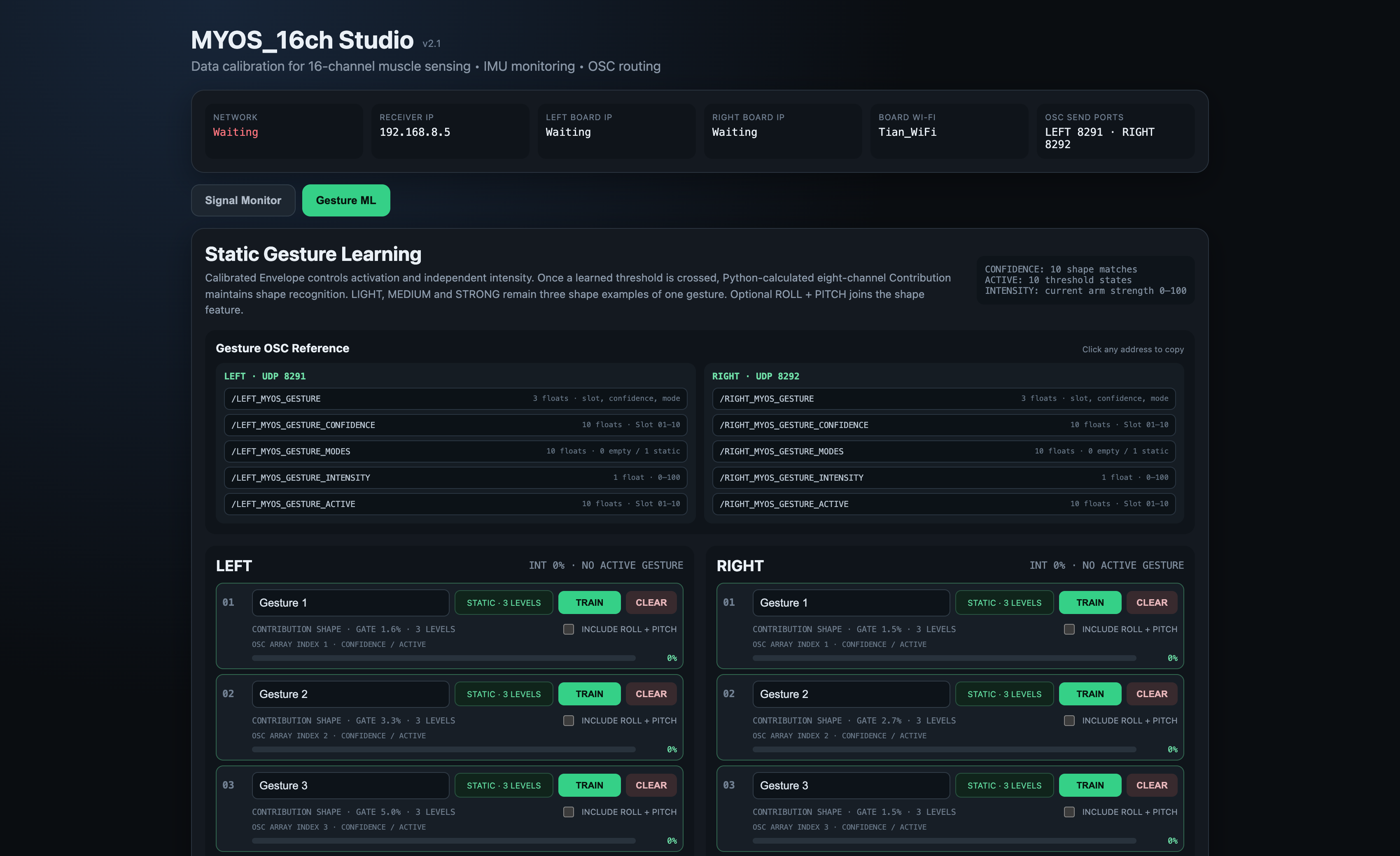
MYOS Studio is the software extension for inspecting MYOS signals, establishing session references, and learning reusable static gesture patterns. It gives the artist continuous calibrated signals and gesture-match scores to inspect before deciding how they should influence sound or other media.
How can an artist establish useful signal references after each wearing of a sensing interface?
How can static gesture patterns become inspectable control material without treating a match score as artistic intention?
Relationship to MYOS
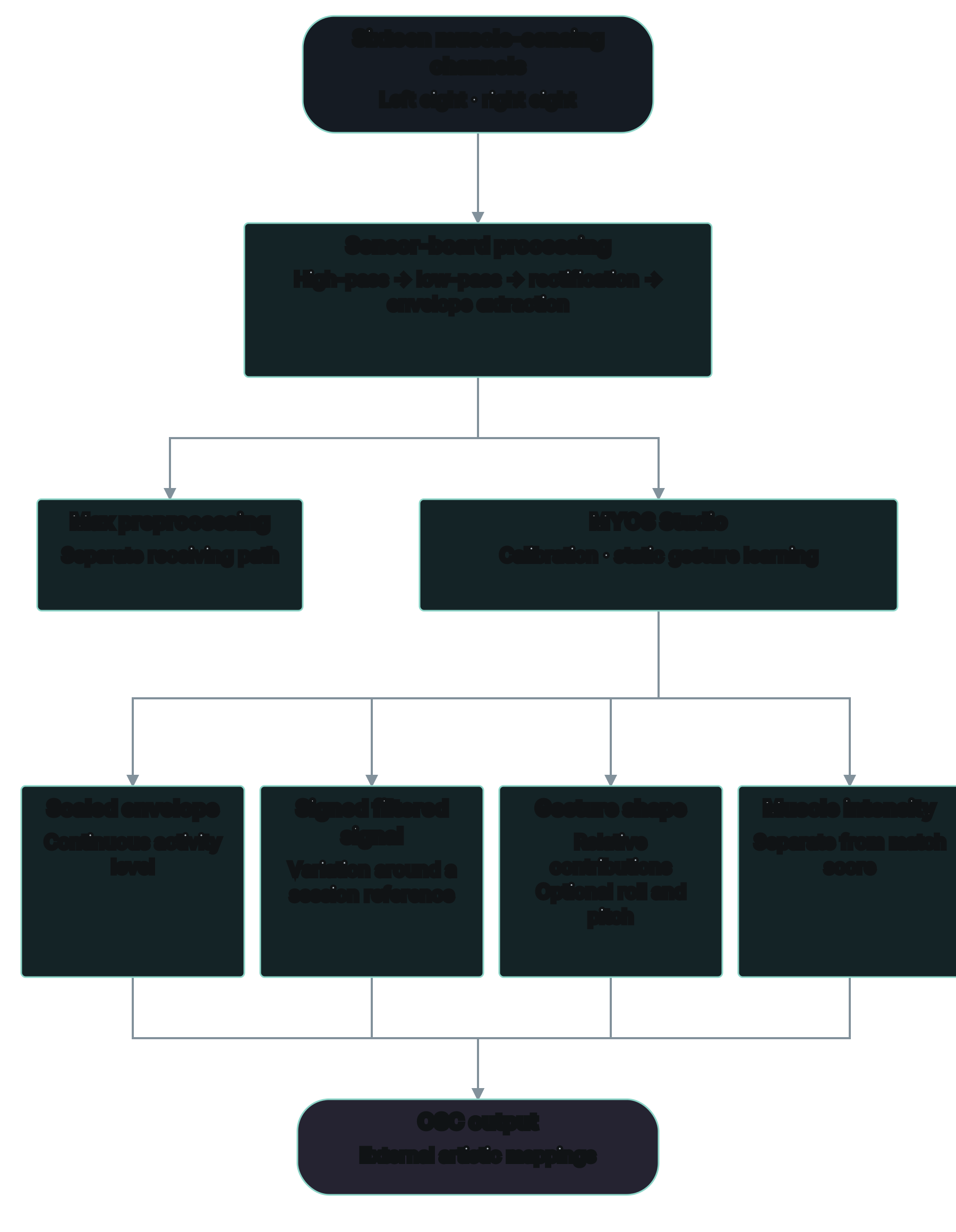
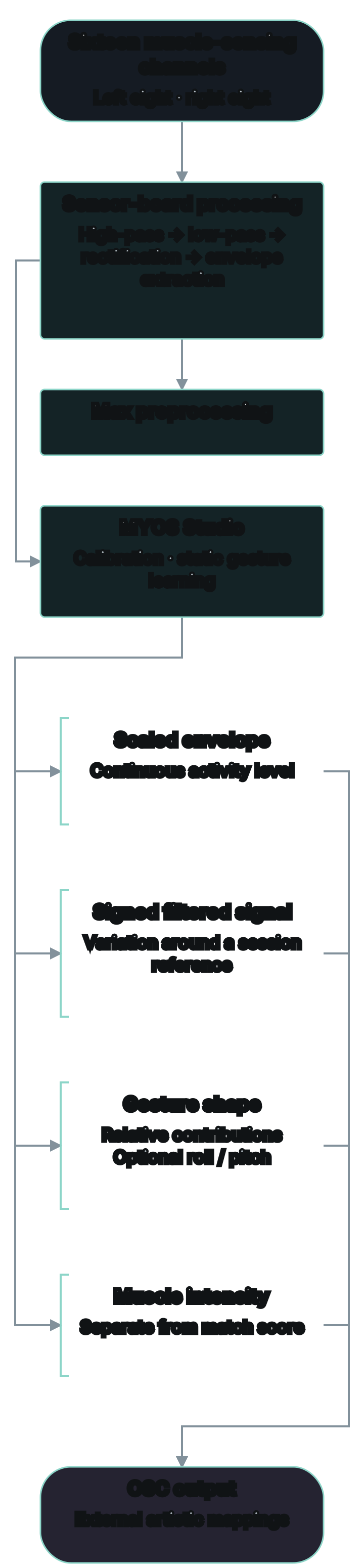
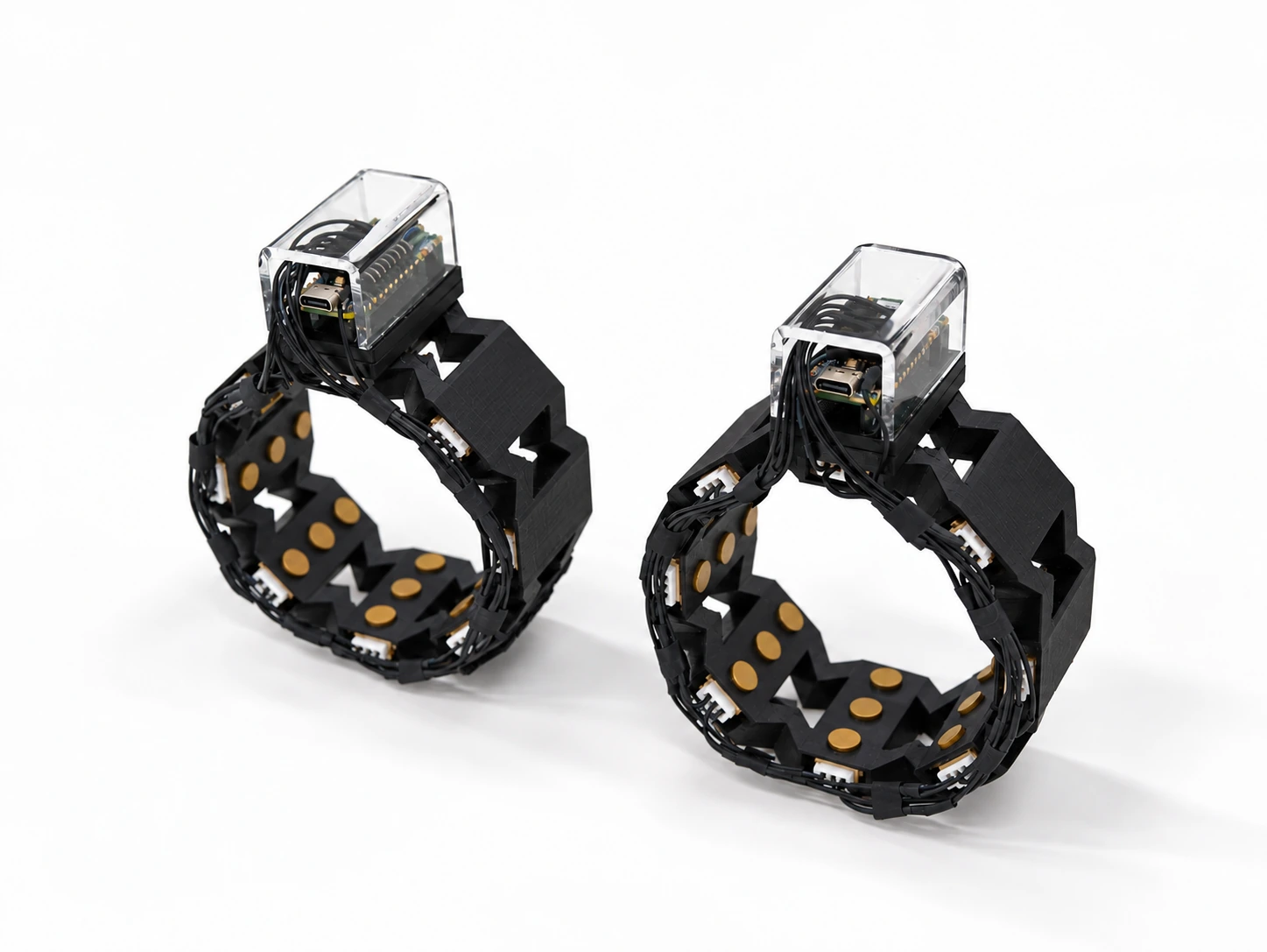
MYOS is the wearable sensing hardware; Studio is a separate calibration and gesture-learning workflow. The paired inputs carry eight muscle-sensing channels per side alongside motion information. Hardware acquisition and performance history are documented on the MYOS page.
The Max preprocessing patch and Studio are alternative software paths from the same incoming data. Max unpacks the messages, applies fixed scaling, routes named signal groups, and provides monitoring. Four-stage session calibration and gesture matching belong to Studio, not to that Max patch.
Signal preparation and artistic mapping
Calibration Workflow
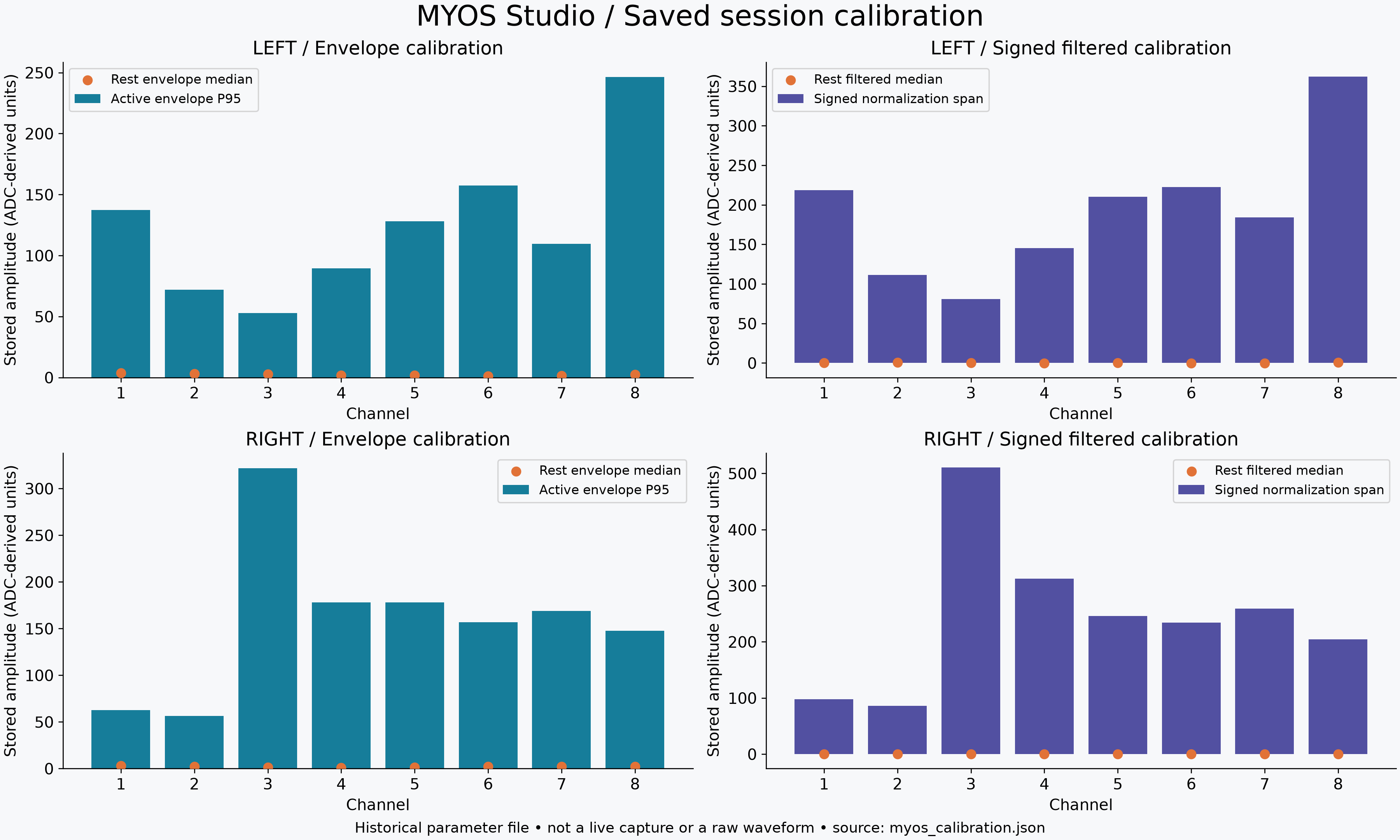
Studio asks the performer to establish four references: horizontal arms, upward arms, relaxed muscle activity, and active muscle range. The normal startup requires a new session calibration rather than silently restoring the saved calibration parameters.
For each muscle channel, the relaxed envelope median sets a lower reference and the active 95th percentile sets an upper reference. The envelope is scaled to 0–100 and smoothed; a separate signal derived from the filtered waveform retains signed variation from −100 to +100. These representations serve different mapping needs. Weak or insufficient channel activity can produce warnings.
Gesture Prototypes and Matching
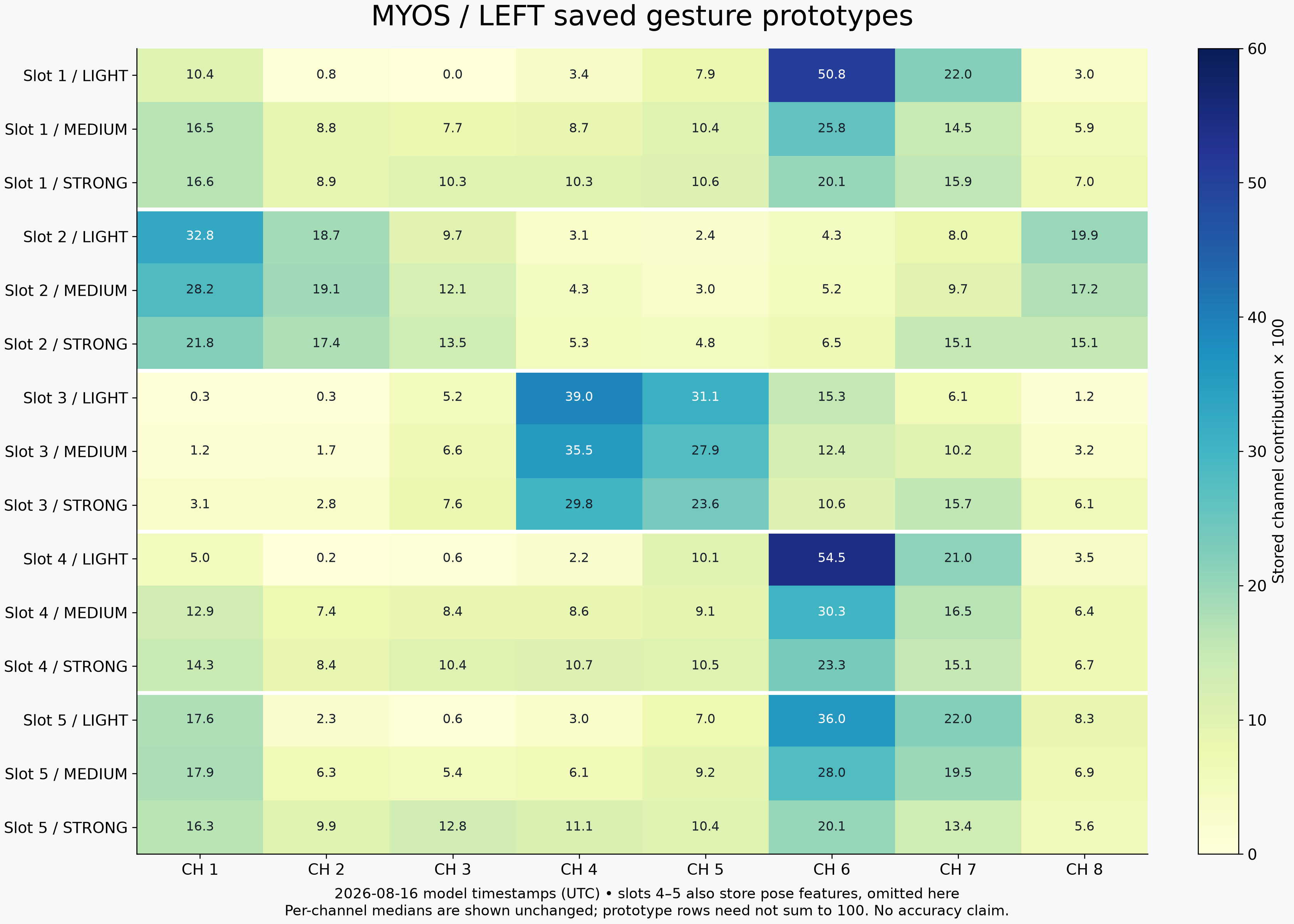
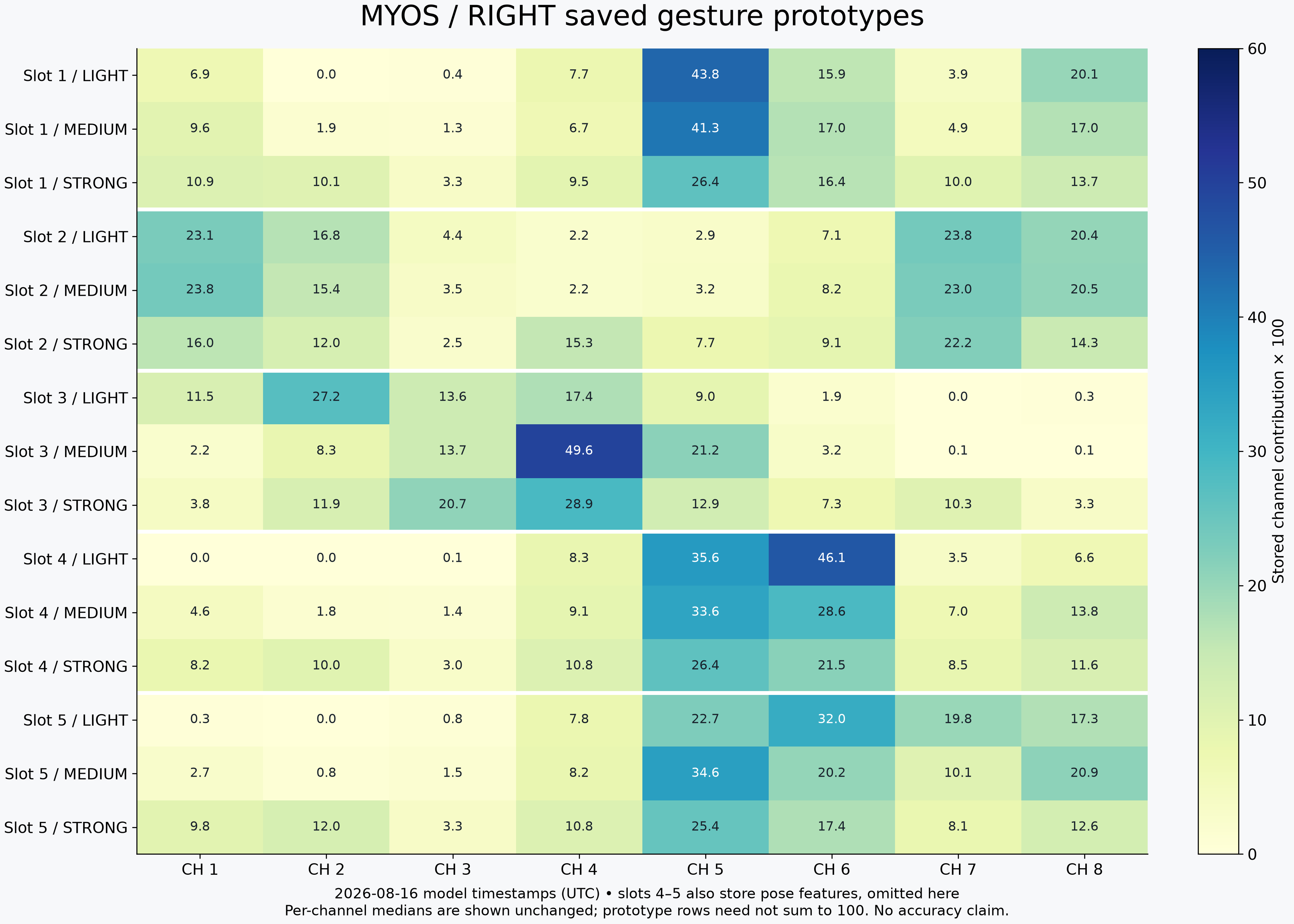
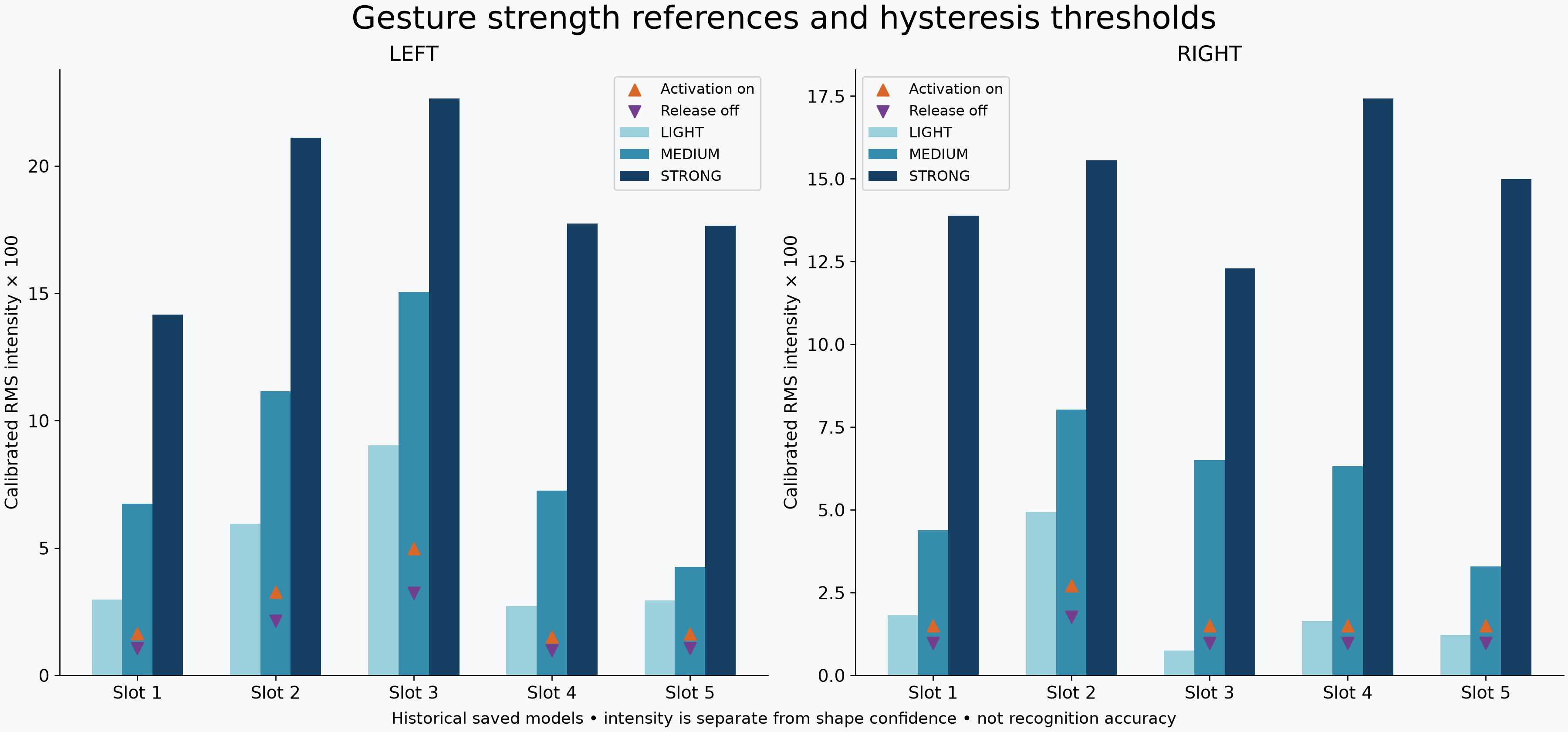
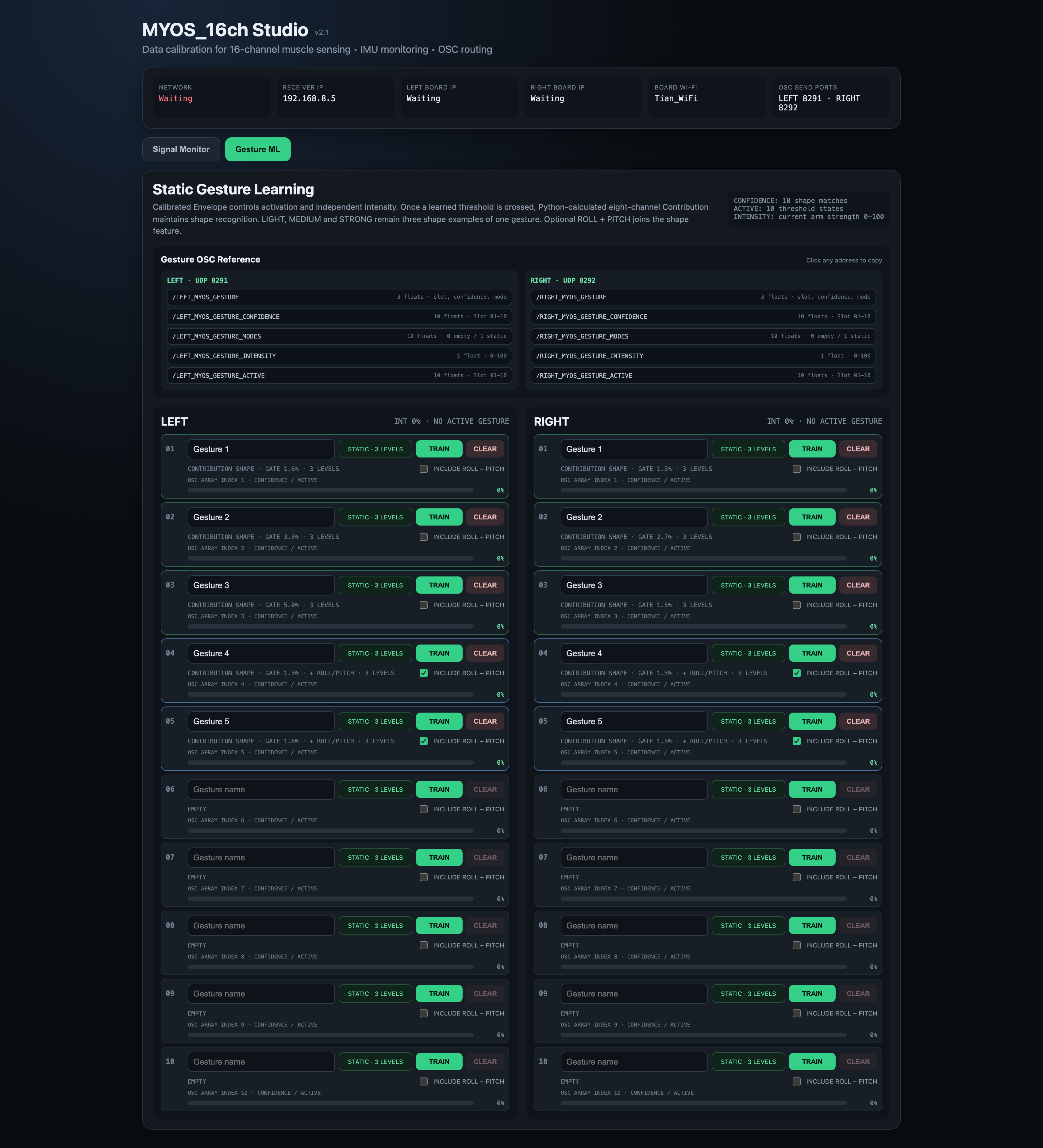
The left and right sides each have ten independent static-gesture slots. Training stores light, medium, and strong examples of a channel-contribution pattern, with optional roll and pitch information. The saved models retain prototypes, thresholds, and counts.
An intensity gate with hysteresis separates activation from release. Within this gate, shape matching compares the current relative channel pattern with the stored prototypes while reporting muscular intensity separately. Each slot has a match score and active state, and the interface also reports a winning slot.
Confidence is a shape-match score, reported separately from muscle intensity. This implementation supports static gesture shapes.
Software Structure
Studio provides Overview, IMU Signals, EMG Signals, and All Data views, with separate left and right signal groups available through OSC. Artists can inspect the data and choose representations for an external sound or media system; Studio does not itself determine the artistic mapping.
The gesture layer computes its contribution shape from calibrated envelopes. The ordinary EMG_CONTRIBUTION monitoring and OSC group retains the contribution values supplied by the device.
Reflection
The saved models show a vocabulary under development. Sensor contact and placement, session baselines, low-activity channels, similar shapes, unknown gestures, and the timing of activation and release remain practical questions for performance. A useful match is something to test through the intended artistic task.
Documentation
Related Projects
 MYOS
MYOSCredits
Tian Li — Software functions, calibration and gesture-learning workflow